Mastering Core Web Vitals in Next.js: App Router and Server Components
Mastering Core Web Vitals in Next.js: App Router and Server Components
In today's competitive digital landscape, website performance isn't just a nicety—it's a necessity. Google's Core Web Vitals (CWV) have become critical metrics for evaluating user experience and influencing search engine rankings. For developers building with Next.js, leveraging the App Router and Server Components offers a powerful pathway to achieving stellar CWV scores.
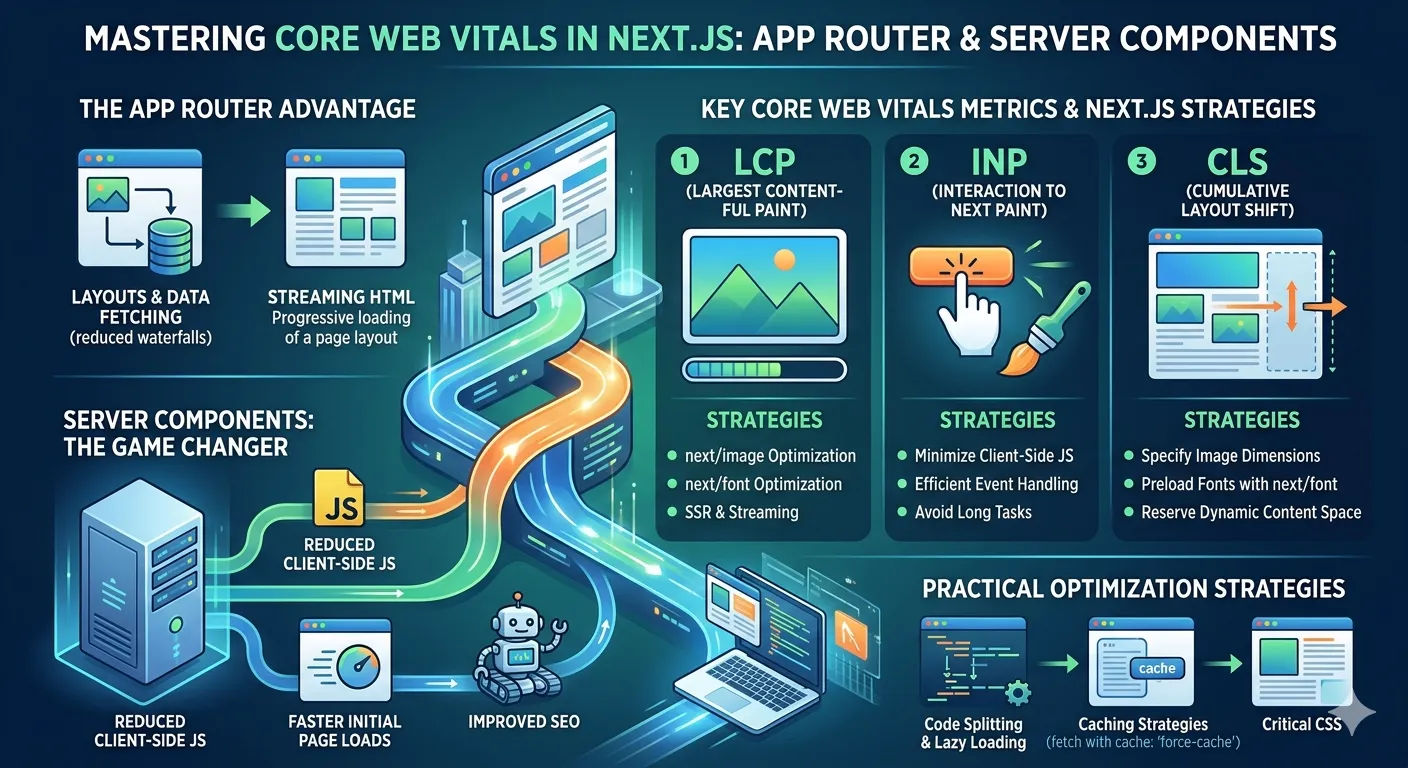
The App Router Advantage for Performance
The introduction of the App Router in Next.js marked a significant shift towards a more performance-centric architecture. By adopting a file-system based routing approach that co-locates components with their routes, the App Router enhances several aspects crucial for CWV:
- Layouts and Data Fetching: Centralized data fetching within layouts reduces waterfall requests and simplifies data management, leading to faster initial page loads.
- Streaming: The App Router natively supports streaming HTML and React Server Components, allowing users to see and interact with parts of your page even before all data is loaded. This drastically improves perceived performance.
Server Components: The Game Changer
Next.js Server Components are perhaps the most impactful feature for CWV optimization. They allow you to render components entirely on the server, sending only the necessary HTML and CSS to the client, along with minimal JavaScript for interactivity. The benefits are profound:
- Reduced Client-Side JavaScript: Less JavaScript means faster parsing and execution, directly improving metrics like First Input Delay (FID) and Interaction to Next Paint (INP).
- Faster Initial Page Loads: Since components are rendered on the server, the browser receives fully formed HTML, leading to quicker content display and a better Largest Contentful Paint (LCP).
- Improved SEO: Search engine crawlers receive fully rendered HTML, making content more discoverable and indexable.
Key Core Web Vitals Metrics & Next.js Strategies
Largest Contentful Paint (LCP)
LCP measures the time it takes for the largest content element in the viewport to become visible. To optimize LCP with Next.js:
- Image Optimization: Utilize
next/imageto automatically optimize, lazy-load, and serve images in modern formats. Prioritize critical images with thepriorityprop. - Font Optimization: Use
next/fontto eliminate layout shifts and ensure fonts are loaded efficiently without blocking rendering. - Server-Side Rendering (SSR) & Streaming: Ensure critical content is rendered on the server and streamed to the client as early as possible.
For more detailed insights on optimizing visual elements, check out our guide on building an optimized hero image and featured posts section.





