Optimizing Data Fetching in Next.js: Taming the Over-fetching Beast
Optimizing Data Fetching in Next.js: Taming the Over-fetching Beast
In the world of modern web development, speed and responsiveness are non-negotiable. Users expect instant feedback and seamless experiences, especially from applications built with powerful frameworks like Next.js. While Next.js provides incredible tools for performance out of the box, one subtle yet significant bottleneck often goes unnoticed: over-fetching data.
What Exactly is Over-fetching?
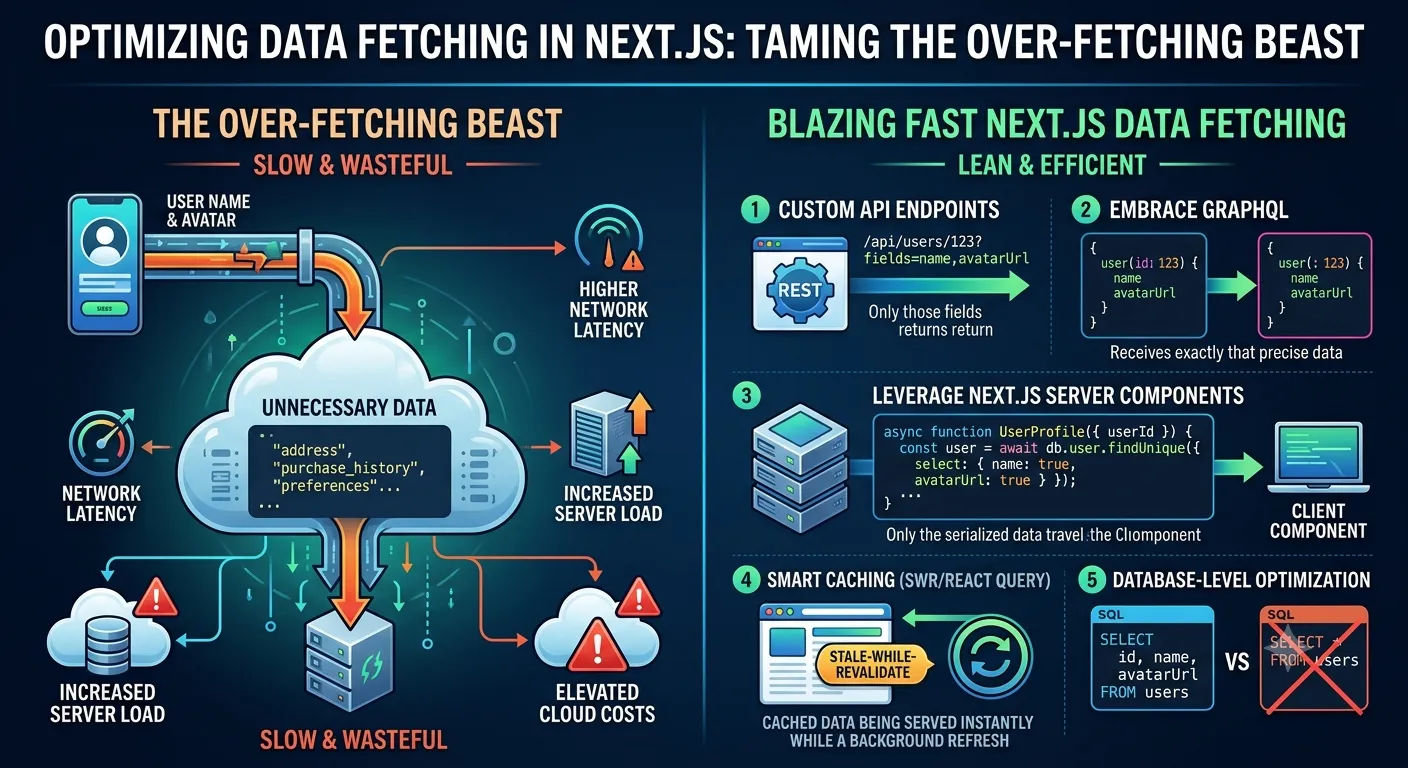
Simply put, over-fetching occurs when your application requests and receives more data from an API or database than it actually needs to render the current view or perform a specific operation. Imagine you need a user's name and profile picture, but your API endpoint sends back their entire profile, including address, purchase history, and preferences.
This excess data accumulates quickly, especially in complex applications with many components making their own data requests. It's a silent performance killer that can significantly impact your application's speed and user experience.
Why Over-fetching is a Performance Killer in Next.js
The implications of over-fetching extend beyond just slower initial page loads:
Increased Network Latency: More data means longer transfer times, directly impacting how quickly your users see content.
Higher Server Load: Your backend has to retrieve, process, and send more data, consuming valuable server resources.
Wasted Client-Side Resources: Your browser has to download, parse, and often discard unnecessary data, leading to increased memory usage and slower rendering.
Elevated Cloud Costs: Over-fetching can lead to unexpectedly high bandwidth bills.
Just as optimizing asset and image sizes is crucial for a snappy experience – as highlighted in our guide Why WebP is Better Than PNG/JPG: The Ultimate Guide to Next.js 15 Image SEO – optimizing data payload is equally vital.
Strategies to Tame the Over-fetching Beast
Fortunately, with Next.js's flexible data fetching mechanisms, you have several powerful strategies at your disposal:
1. Leverage Next.js Server Components (RSC)
Next.js Server Components are a game-changer. They allow you to fetch data directly on the server, keeping heavy computation away from the client. Crucially, with RSC, you can pass only the necessary, serialized data down to your Client Components, effectively preventing over-fetching at the component level. This approach aligns perfectly with the performance benefits of building a custom stack, as we explored in WordPress vs. Next.js 15: Why I Built My Professional Blog with a Custom Stack.
TypeScript
// Example of a Server Component fetching specific data using Prisma
import prisma from "@/lib/prisma";

async function UserProfile({ userId }: { userId: string }) {
  const user = await prisma.user.findUnique({
    where: { id: userId },
    select: { name: true, avatarUrl: true } // Only fetch what's needed
  });

  if (!user) return <p>User not found</p>;

  return (
    <div className="flex items-center gap-4">
      <h2>{user.name}</h2>
      <img src={user.avatarUrl} alt={user.name} width={50} height={50} />
    </div>
  );
}
2. Master App Router Caching and Memoization
Next.js built-in caching automatically memoizes data requests within a single render pass, avoiding redundant network hits. To build a robust framework around this, make sure you understand how the caching layer interacts with your routes by exploring our guide on Mastering Data Fetching and Caching in Next.js App Router.
3. Database-Level Optimization
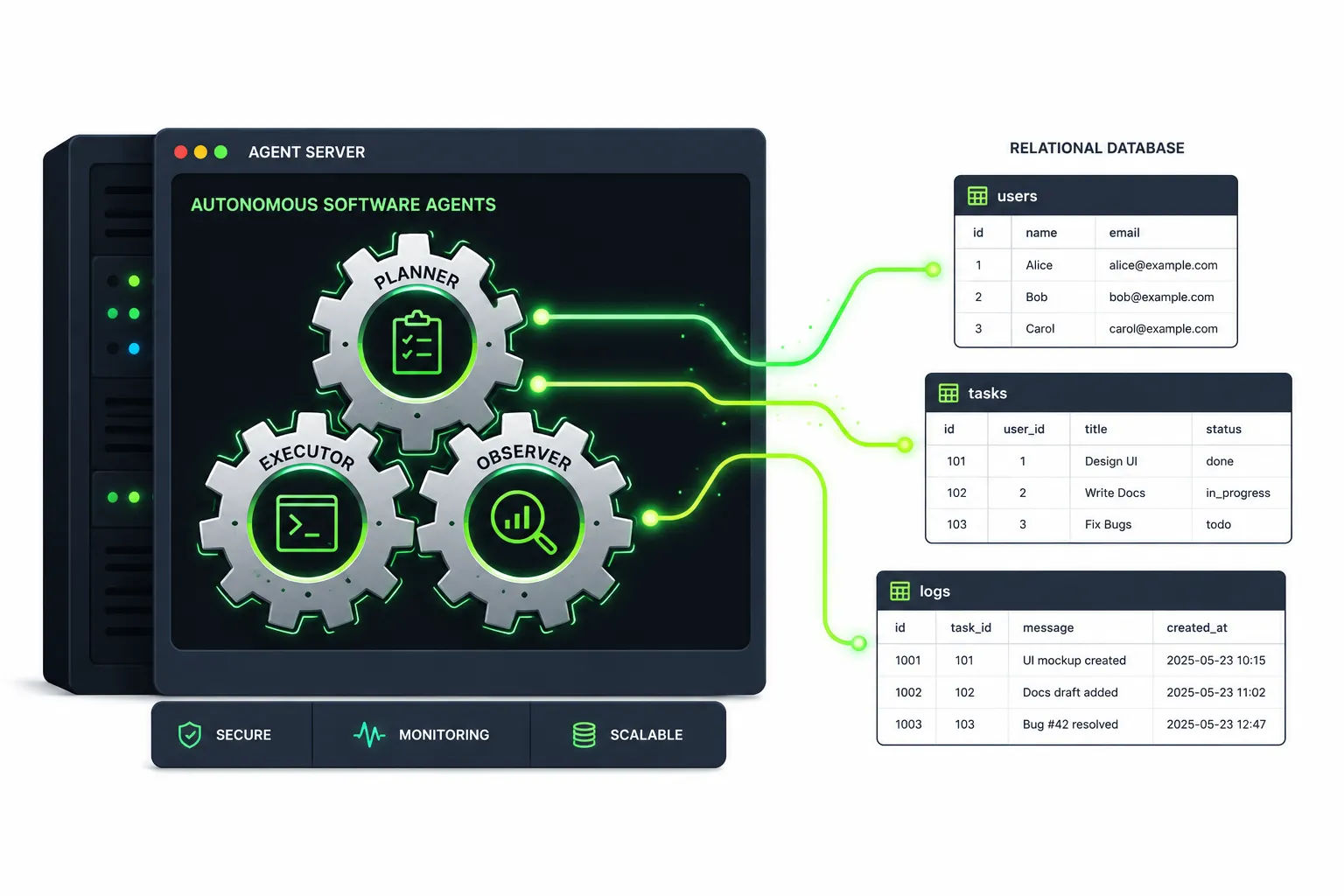
When fetching data directly from a database (e.g., using an ORM like Prisma), always use select clauses to specify only the columns you need. Avoid fetching whole objects or relations unless absolutely necessary.
SQL
-- Bad: Fetches all columns
SELECT * FROM products WHERE category = 'electronics';

-- Good: Fetches only necessary columns
SELECT id, name, price, imageUrl FROM products WHERE category = 'electronics';
If you are expanding this database design to include full features like handling multi-tenant setups, you can check out how we handle structured database selection in our architecture for a multi-tenant ads management system with Next.js 15 and Prisma.
4. Implement Streaming and Suspense
To further reduce the performance impact of large or slower data payloads, stream your data components. Instead of letting one slow database query block the entire page render, use Suspense boundaries to load critical content first. Read more about this approach in Mastering Streaming and Suspense in Next.js.
Conclusion: Build with Intent
Optimizing data fetching isn't just a technical detail; it's a fundamental aspect of building high-performance Next.js applications that delight users and save on operational costs. By consciously designing your data layer, leveraging Next.js Server Components, and being precise with your database queries, you can tame the over-fetching beast and unlock the full potential of your applications.