Unlocking Peak Performance: The Power of Next.js Server Components
Unlocking Peak Performance: The Power of Next.js Server Components
The landscape of web development is in constant motion, driven by an insatiable demand for faster, more dynamic, and ultimately, better user experiences. In this race for performance and efficiency, Next.js has consistently been at the forefront, pushing boundaries with innovative features. Among its most transformative introductions are Server Components – a paradigm shift that redefines how we build modern web applications.
For years, the industry has grappled with the challenge of client-side JavaScript bloat. As applications grew more complex, so did the bundles shipped to the browser, often leading to slower initial page loads and a degraded user experience. Next.js Server Components offer a powerful solution by allowing developers to render components entirely on the server, sending only the necessary HTML and CSS to the client, along with minimal interactive JavaScript.
What Exactly Are Next.js Server Components?
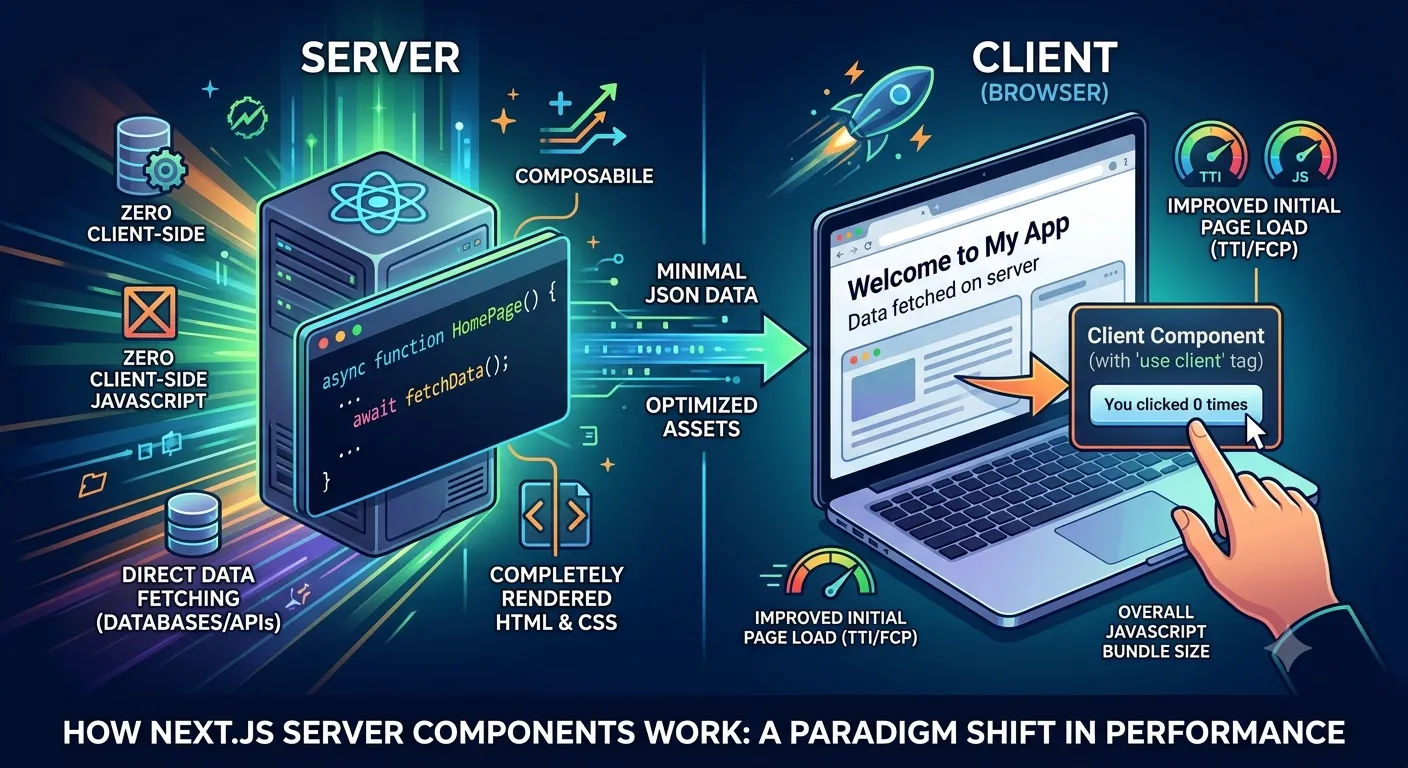
At its core, a Server Component is a React component that renders exclusively on the server. Unlike traditional client-side components (which Next.js refers to as Client Components), Server Components never make it to the client's JavaScript bundle. This means:
Zero Client-Side JavaScript: Components that don't require client-side interactivity can be completely removed from the browser's bundle, leading to significantly smaller downloads.
Direct Data Fetching: Server Components can directly access server-side resources like databases, file systems, or API keys without needing client-side API calls. This simplifies data fetching logic and keeps sensitive information off the client.
Improved Initial Page Load: Since less JavaScript needs to be downloaded, parsed, and executed by the browser, the Time to Interactive (TTI) and First Contentful Paint (FCP) metrics see substantial improvements.
Enhanced Security: Keeping server-side logic and data fetching on the server reduces the attack surface and helps protect sensitive data that would otherwise be exposed in client-side bundles.
This approach complements other performance optimization techniques. Just as optimizing your images is crucial for speed – by leveraging modern formats as discussed in Why WebP is Better Than PNG/JPG: The Ultimate Guide to Next.js 15 Image SEO – optimizing your JavaScript delivery with Server Components delivers another significant performance boost.





